Choose the order
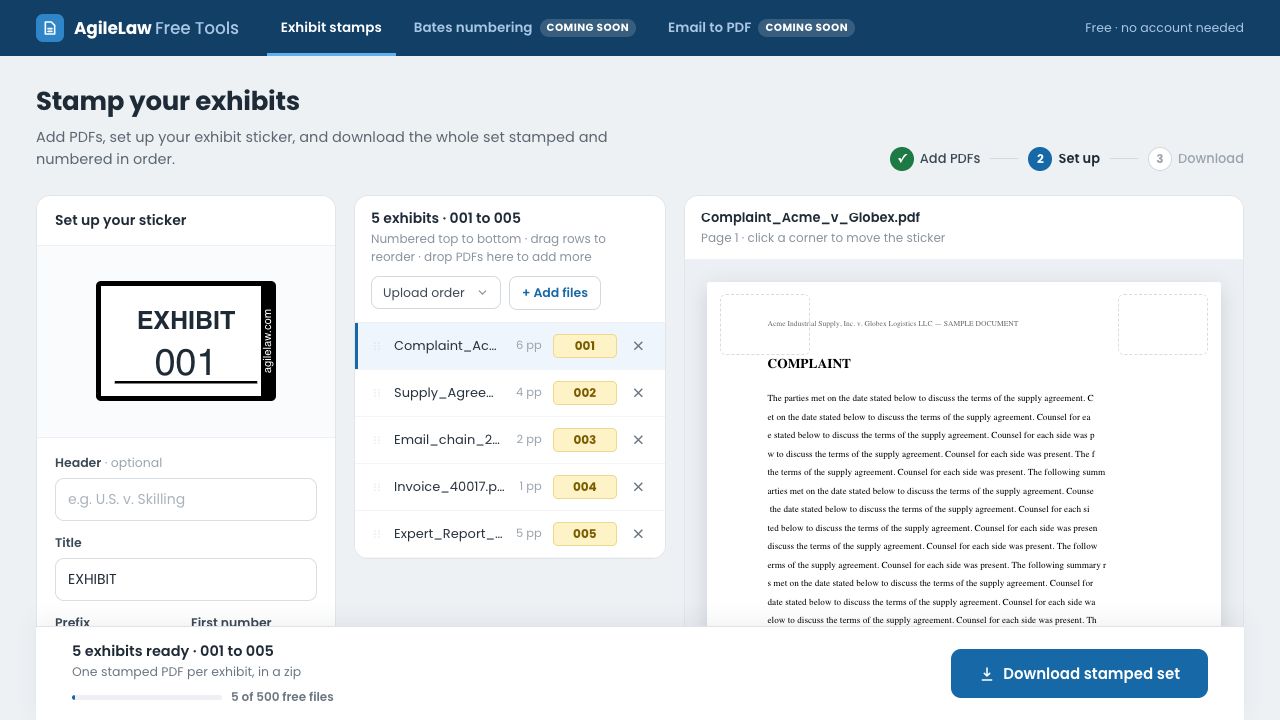
Arrange your PDFs before downloading. Exhibit numbers follow the list from top to bottom.

Add numbered exhibit stamps to your PDFs, arrange the files in the order you need, and download the stamped set.
Walk into your next deposition, hearing, or trial with clearly labeled exhibits in the order you plan to use them.
Give your PDFs clear exhibit labels and a deliberate order before you need them in the room.
Arrange your PDFs before downloading. Exhibit numbers follow the list from top to bottom.
Choose the title, prefix, starting number, color, size, and page corner. Preview the sticker on the document.
Get a ZIP containing one stamped PDF per exhibit, ready for your legal team’s next step.
Add a numbered exhibit sticker to the first page of each PDF. Reorder the files, customize the sticker, and download up to 500 stamped PDFs per set.
Open Exhibit StampsAdd sequential Bates numbers across PDFs, with prefixes, confidentiality legends, and an index showing each document’s Bates range.
Get launch updatesConvert saved emails, zipped email files, or Outlook mailboxes into readable PDFs, with options for attachments and file names.
Get launch updatesUpload one PDF per exhibit. Add the documents you want in the set.
Arrange the files, choose your starting number, and preview the stamp before downloading.
Save a ZIP containing the individually stamped PDFs.
Know what’s included: The sticker appears on the first page of each PDF and includes a small agilelaw.com mark.
What the free Exhibit Stamps tool from AgileLaw does, what you can customize, and what’s coming next.
The Exhibit Stamps free tool helps you prepare a stamped PDF set. The AgileLaw platform supports the broader exhibit workflow: organize exhibits, introduce and share them during depositions, and present the passage that matters in hearings and at trial.
See how AgileLaw supports your legal team before, during, and after the session.
Put them in order, choose your sticker, and download the stamped set.
Free · No account needed